Showing posts with label windows 10. Show all posts

Saturday, March 5, 2016

Xbox One and Windows 10


Now, one of the greatest things having multiple devices interfacing with each other is how Xbox One can connect to the TV and send On-Off command via HDMI cable. Add to that, connecting the Xbox to a set-top box, also via HDMI, will also do the same. So, how this could be an awesome thing? Will have you tried walking into the room, saying "Xbox On" and just admire how your TV turn on directly to show you some Action.

Now, you ask me what do windows 10 had to do with your showing off having a kinect in addition to the previous setup? Well, there you go:

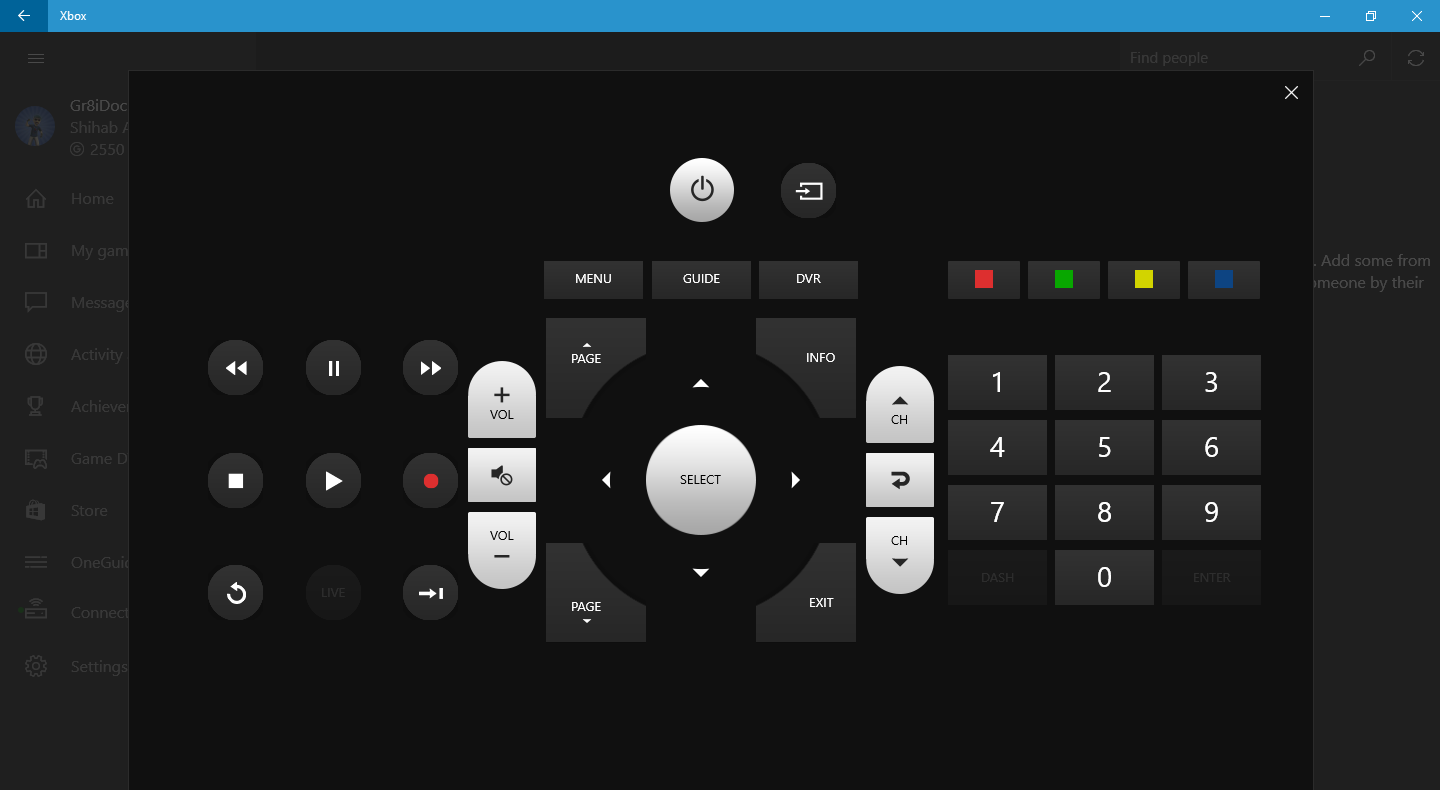
The Xbox application on Windows 10 have many cool features one of which is the ability to sniff around any Xbox connected on your network and give you the ability to connect to it (If it is yours, of course?). Having it connected will give control over the Xbox and you can actually use it as a remote control/Xbox control.  Yeah, certainly you can do that with tons of other ways including the little IR port you have on your mobile or even pressing the red button on the actual remote control, but, in my opinion, nothing beats the feeling of having me doing my stuff on the computer and multitasking everything from the same screen.


Friday, March 4, 2016

Windows 10 Start menu Critical Error fix


Today, and after many months of not being able to catch some time to do my favorite thing of playing Lego® with coding, I was able to catch a break and sat on my windows 10 laptop which announced that a new update had been installed.. that was cool.. for a solid 10 seconds when I hit start menu and it astonished with this critical "error loop"..
Your Start menu isn't working. We'll try to fix it the next time you sign in.
"They" could not fix it..

So, going to my dear friend, Google, I did found out that there are so many like me with this problem and, yes, with so many solution.

To make a long story short:

What did NOT work for me is:

  1. Booting into Safe Mode - which is done by:
    1. Hold the Shift key down while you click Start, Power, Restart.
    2. Once you are in the Windows Recovery Environment, select Troubleshoot, then Advanced options, then Startup Settings, and Restart.
    3. When it restarts, you should see a number of options. Press 5 or F5 for Safe Mode with networking.
    4. Once you sign into your account in Safe Mode, you’re done. Just restart your PC to return to a normal boot.
    5. the end result was the same as I had it before.
  2. Creating another administrative account - which is done by:
    1. Going to Task Manager (Ctrl + Alt + Del)
    2. Starting CMD with administrative privileges
    3. the cmd command
    4. inputting this command net user (username) (password) /ADD followed by this net localgroup administrators (username) /add
    5. The end result was the inability to sign in to that username I made as there was a problem in loading the profile service
What did work for me:
There was some mentioning about third-party apps that might be the culprit ones. I did uninstall my antivirus first - did not work.
What did the trick is uninstalling DropBox thanks to this post.
It did safe the day.. THE day.. but not my day as I wasted my time fixing this and not actually do the stress-relieving coding part of the day.

So I decided to write this post in what ever left from my day to try to save someone's else.